


Password-protected links
Only people with the password can open the demo.
Real screens. Real clicks. No code.
Click through your product once. Proovyt turns it into an interactive demo you can blur, edit, brand and share.
Capture
Open Proovyt Capture on the tab you want to record and press Start recording.
Use your product as normal. Each click takes a screenshot and marks where you clicked.
Press Stop and create demo when the flow is done.
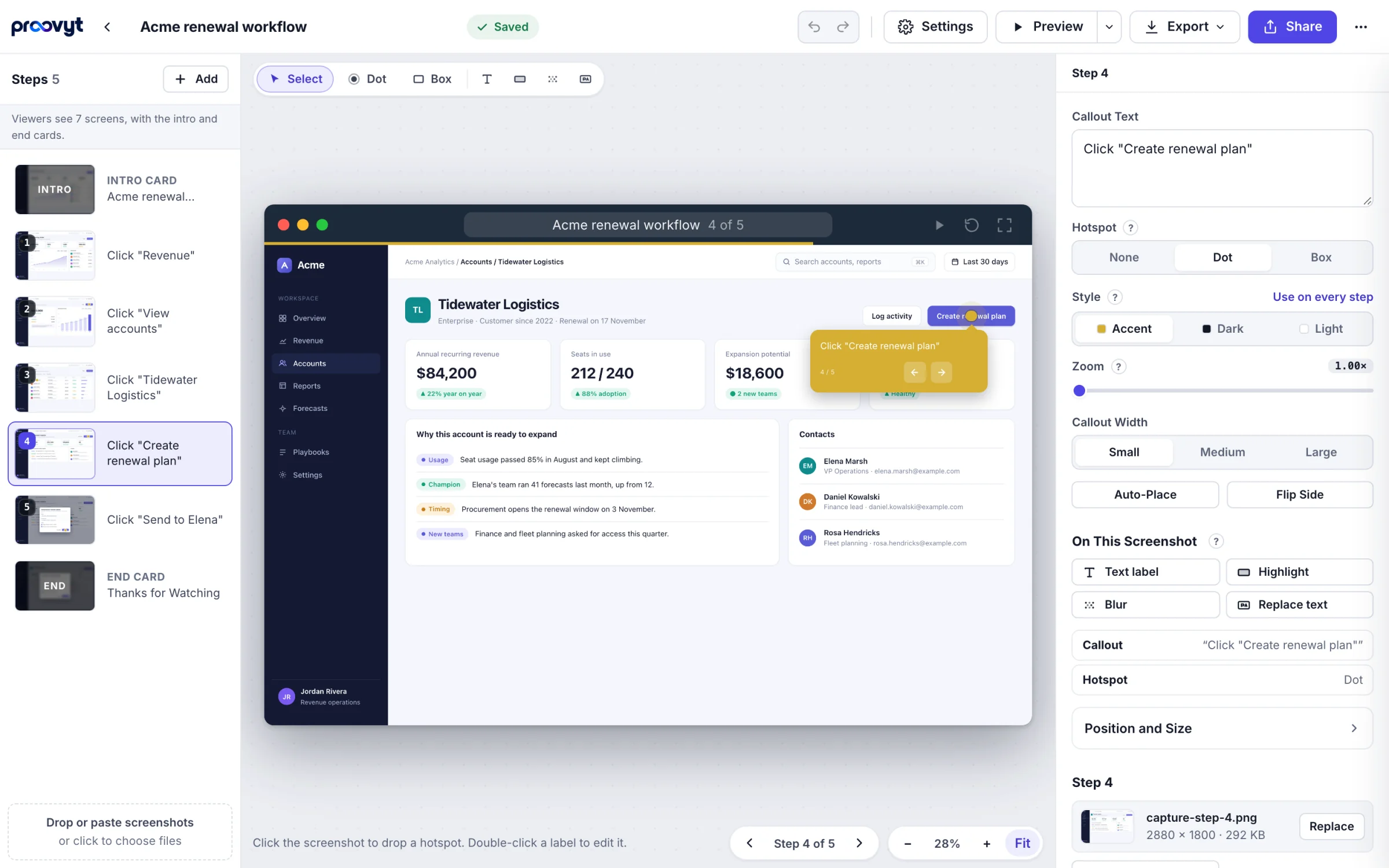
The editor opens on a new demo, one step per click, with a hotspot on each click.
The edit layer
Each step works like a slide. Change what the screenshot says without leaving the editor, and undo anything.

Hide emails, names and figures. Blur is baked into the pixels when you publish or export.

Cover a word or a line with your own. Proovyt samples the screenshot around it so the new text sits in place.

Swap a figure for the one the story needs, without opening an image editor.

Pin a short note anywhere on the screen.

Dim the rest of the screen so one area carries the step.

Drag the hotspot onto what matters and write the callout beside it. Zoom a step up to 3x.
Share
The player in the editor is the same player in every link, embed and export, so what you preview is what ships.


/d/acme-invoicesA public page for the demo. Republishing keeps the link, and unpublishing takes the page down at once.On every plan, Free included

<iframe src=".../embed/acme-invoices">A snippet for your site, your docs or your help center. Views count in your analytics.On every plan, Free included

acme-invoices.htmlOne self-contained HTML file that plays in any browser, or a web folder. Host it wherever you like. The project file backup is on every plan.On Creator, Pro and Team
Publishing copies just the screenshots the demo uses, with blur baked in. The rest of your workspace stays private.
Pro
Pro is $79 a month billed annually or $99 monthly, for one creator. Team includes everything in Pro.
Custom domains are coming to Pro.
Only people with the password can open the demo.


Hosted pages and embeds set no cookies. Analytics store no IP addresses. Unique viewers come from a hash that changes every day. Viewers stay anonymous unless they send a lead form.

Give a link an end date, so an old demo does not keep circulating.

Show a lead form in the demo. Viewers stay anonymous unless they send it. Then you see the details they sent and how far they got.

Views, unique viewers, completion rate and drop-off by step, plus each lead's path through the demo. Export it as CSV.
Every plan has every editing tool. Upgrade, downgrade or cancel yourself, any time.
Try it on a real launch.
$0/ month
1 creator
Request Early AccessRecommended
For one person who owns the product story.
$35/ month
$420 billed yearly
Request Early AccessEverything in Free, plus
For one person whose demos go out to prospects.
$79/ month
$948 billed yearly
Request Early AccessEverything in Creator, plus
For a team where several people make demos.
$49per seat / month
2 seats$1,176 billed yearly
Request Early AccessEverything in Pro for every seat, plus
FAQ
Proovyt turns a click-through of your product into an interactive demo. Each click becomes a step with a hotspot and a callout. You can zoom into a step, change what the screenshot says, and share the result as a link, an embed or a file you keep.
Yes. Proovyt adds an edit layer on top of each screenshot. Replace text covers the original words and shows new ones in a matching style. You can also blur private details, change a number, pin a label or highlight one area. These edits are on every plan, including Free.
When you export, blur is baked into the image pixels, so the original text is not sitting underneath for someone to recover.
Yes, on Pro and Team, in beta. Before you record, the extension asks whether to capture screenshots or HTML. With HTML, it records the page itself next to each screenshot, so a step stays crisp at any zoom and you can replace, hide or blur any element's text. Typed text is never captured. Every plan works from screenshots, and you can change any text or number on them.
No. Creator is for one person. Team is priced per seat from 2 seats, so a team of three pays for three, and an admin can add or remove seats as the team changes.
Yes. Upgrade, downgrade and cancel from your billing page in the app. Annual plans change at renewal.
On Creator, Pro and Team you can download a demo as one self-contained HTML file. It plays in any browser and you can host it wherever you like.
Sandbox demos, AI voiceover, branching and CRM integrations are not in Proovyt yet, on any plan. Custom domains are coming to Pro.